THE SHORT ANSWER
Your starting point
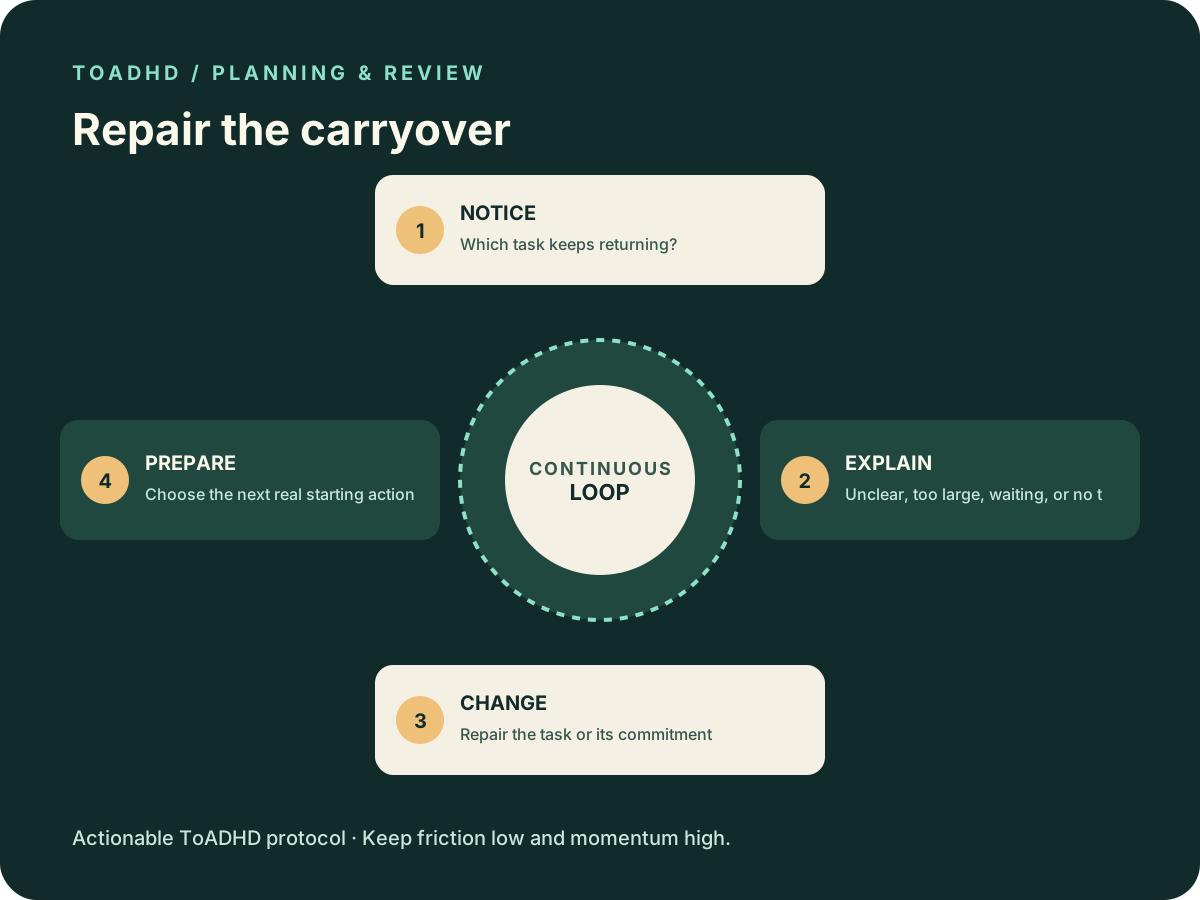
Review what remains unfinished and give each item a reason: unclear, too large, waiting, no available time, or no longer needed. Change the task or its commitment based on that reason. Finish with a realistic next-week list and one prepared starting action, not a rewritten copy of the old backlog.
IN 30 SECONDS
What to remember
- Repeated carryover is a reason to inspect the task.
- Reviewing a list does not require completing the tasks on it.
- Do not silently drop commitments that involve other people.
- A short review can cover the nearest commitments first.
Review the reasons tasks survived the week
If the same items appear on next week's list unchanged, a review can become clerical work without resolving anything. Put one repeated task in front of you and ask what prevented it from moving. The answer should change the instruction, timing, support, or commitment.
Weekly review is an established productivity practice. The official Getting Things Done checklist includes reviewing calendars, action lists, and waiting items. Our narrower carryover review below is an editorial adaptation focused on stale tasks, not the full GTD method or an ADHD treatment.
Sources: [1]
Open only the records you actually use
Start with your current task list and calendar. Check recent commitments and the coming week for fixed dates. Add an inbox or notebook only if it contains real commitments that are missing from the list.
Keep a separate note for tasks discovered during the review. Do not interrupt the review to finish every small job you encounter. If something truly needs immediate attention, handle it deliberately and leave a marker showing where to resume the review.
Give each carryover a useful explanation
Use a cause that tells you what to change. “I failed again” does not identify a repair. “The task needs a decision I have not requested” does.
Unclear — Rewrite the expected output and where it belongs.
Too large — Identify a useful piece that fits one work block.
Waiting — Record the needed input, its owner, and a follow-up point.
No time — Compare the commitment with actual capacity and renegotiate if needed.
No longer needed — Confirm that it can be retired, especially if others depend on it.
Example: the portfolio task that moved three times
Imagine “update portfolio” has rolled over for three weeks. On inspection, you find two hidden tasks: choose a project and get permission to show its screenshots. Recopying “update portfolio” would preserve both uncertainties.
Replace it with “choose between project A and project B using the work samples available.” Then request any needed permission through the appropriate channel. The portfolio draft remains waiting until that requirement is resolved. This example is illustrative, not a report of a real user's outcome.
Build a week that reflects the calendar
Count fixed commitments before filling open space. If the week contains travel, appointments, or deadlines, leave realistic room around them. Select a small set of active outputs and keep optional ideas separate from commitments.
For any promise that no longer fits, make the conflict visible. Ask about moving the date, reducing the scope, or getting help. Removing an item from your personal list does not tell the other person that the agreement changed.
Use the short version when a full review is too much
Check the next fixed deadline, one waiting item, and one repeatedly carried task. Repair those records and choose a time to continue the rest. There is no requirement to clear the entire backlog before taking a useful next action.
End by opening or naming the material needed for your first selected task. Record that starting point in the tool you use. The purpose is a more accurate plan, not a perfect retrospective or a score for how productive the week felt.
COMMON QUESTIONS
A few honest answers
Must the review happen on Sunday?
No. Pick a time that fits your actual week and that you can revisit. The useful part is checking commitments and updating tasks, not the day name.
Should I delete every task I keep postponing?
No. First inspect why it is stuck and whether it remains necessary. Confirm changes to commitments involving others; optional ideas can be moved out of the active list.
How is this different from choosing today's priority?
Today's prioritization chooses among current actions. A weekly carryover review repairs stale tasks and commitments so the list you choose from is more accurate.
SOURCES & REVIEW
Sources and further reading
- 1GTD Weekly Review Checklist ↗
David Allen Company
This guide offers general productivity education. It cannot diagnose ADHD or replace care from a qualified professional.